Feb. 1 Is National Change Your Password Day
A recent study by the cybersecurity company Kaspersky revealed that 59% of passwords can be cracked in under an hour. Kaspersky says this is because human-made passwords are predictable. Even when we’re trying to create random passwords, we often include common patterns, names, phrases and dates. These are all easy for an algorithm to crack.
One of the most effective ways to safeguard your company’s sensitive data is to teach your employees password best practices. In honor of National Change Your Password Day (Feb. 1), we’re highlighting what makes a strong password, when to require password changes and other password best practices.
What Makes a Strong Password
According to the Cybersecurity & Infrastructure Security Agency (CISA), the strongest passwords:
-
Use the maximum number of characters (at least 16 words)
-
Are random, e.g., “Yuc8$RikA34%ZoPPao98t”
-
Include a passphrase, like “HorsePurpleHatRunBayLifting”
-
Are unique to the account
The password security company Keeper says longer passwords are more secure than shorter ones. Surprisingly, short passwords using complex characters (uppercase, lowercase, numbers and symbols) are more vulnerable than long, simple passwords. Keeper has published a table that estimates the time a cybercriminal would take to crack certain passwords based on length.
For example, it would take a cybercriminal eight hours to crack an eight-character, complex password. But it would take 2,000 years to crack a 12-character password with only one uppercase letter. Interestingly, it would take 34,000 years to crack a password with 16 characters and all lowercase letters. Finally, it would take 1 trillion years to crack a more complex, 16-character string containing uppercase and lowercase letters, a number, and a symbol.
Using Bitwarden’s Password Strength Testing Tool, you can experiment with variations to see how password length affects the estimated time to crack.
When to Require Password Changes
While frequent password changes were a standard cybersecurity practice in the past, they are now considered counterproductive. This is largely because of password fatigue. When users are forced to change their passwords frequently, they may be inclined to choose passwords that are easy to remember, e.g., substituting “Password123” with “Password1234.” For this reason, CISA now recommends limiting password changes to whenever there’s a known data breach.
Other Password Best Practices
Kaspersky, CISA and the security awareness training company KnowBe4 recommend the following password best practices:
Require employees to use a password manager. A password manager generates, securely stores and autofills strong passwords for your accounts. This reduces human error, such as reusing passwords or using insecure storage.
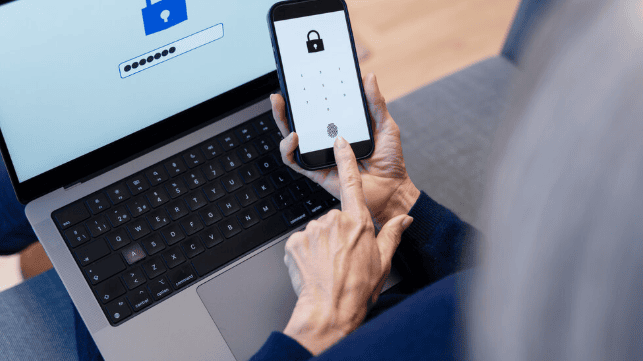
Set up passkeys instead of passwords. Passkeys are a modern and highly secure alternative to passwords. Instead of typing a memorized password, passkeys let employees log in using their fingerprint, face or device. Behind the scenes, passkeys use cryptography to create unique digital keys tied to the accounts they were created for. This makes them difficult to guess or steal, and eliminates password reuse.
Implement multifactor authentication (MFA). MFA is an added layer of security beyond passwords. It requires an additional verification step, such as responding to a push notification or entering a one-time password via an app. (Note: Kaspersky recommends using an authenticator app instead of an SMS code, which can be intercepted.)
With MFA, attackers can’t log in to your accounts even if they have your password. They’d need the second authentication factor to get in.
Audit accounts at high risk of a breach. IT, executive and financial teams are prime targets for a breach. Protect their accounts with stricter MFA access and routine cybersecurity audits.
Make Password Hygiene a Priority
National Change Your Password Day is the perfect opportunity to bolster your company’s password hygiene. Educate your employees, implement best practices like MFA and password managers, and foster a proactive cybersecurity culture.
Educating your employees about securing their personal networks and using strong passwords can also help protect your business. Remote, hybrid and connected personal devices at work risk cross-contamination. Training employees in personal digital security is a proactive strategy. Some employers have started giving their employees personal password security plans, a free perk some cybersecurity companies offer to their enterprise clients.
When it comes to safeguarding sensitive data, a strong defense begins with well-informed employees and smarter password practices.
This content is for informational purposes only and not for the purpose of providing professional, financial, medical or legal advice. You should contact your licensed professional to obtain advice with respect to any particular issue or problem.
Copyright © 2025 Applied Systems, Inc. All rights reserved.